Flagship system · VSA — Vision Systems Automation
VSA Inspect
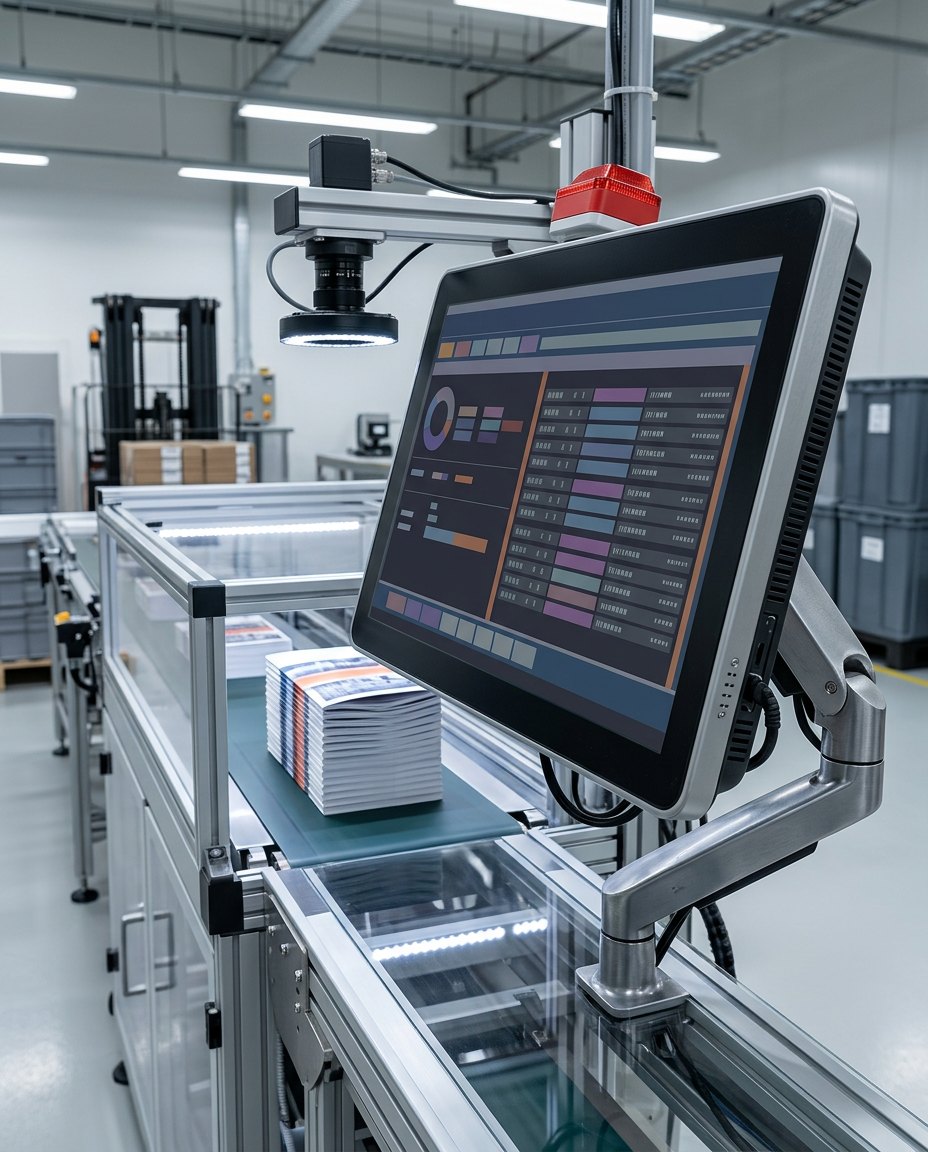
VSA Inspect is VisionAxiom's configurable machine vision inspection system architecture. VSA stands for Vision Systems Automation. It spans imaging and acquisition, inspection logic, verdict handling, controls integration and quality data — delivered as one engineered station, not a single algorithm and not a rebadged smart camera.
What it is
Most inspection failures are not algorithm failures. They come from unstable imaging, from verdicts that arrive after the reject window, from recipes that drift because changeover is manual, and from data that cannot answer what the line was doing when a defect escaped. VSA Inspect is organized around those four problems.
The system is configured per application. Camera, optics and lighting are specified against the smallest feature that must be resolved, and the inspection logic is assembled from deterministic tools wherever a threshold describes the defect.
Capability set
Each capability is scoped for the application it is delivered into. The status column states whether it is standard scope, configured per application, or defined with you during project scoping.
Configurable inspection workflows
Inspection steps, regions of interest, tolerances and verdict logic are configured per application and versioned per SKU, so a changeover is a recipe selection rather than a re-teach.
Configured per application
Image acquisition
Standards-based industrial cameras — area scan or line scan, GigE Vision or USB3 Vision class — with hardware triggering from photo-eye or encoder and counted buffer behavior.
Configured per application
Rules-based and AI-assisted algorithms
Deterministic tools (presence, edge, blob, pattern, measurement, code read) first; learned classification only where the defect class genuinely resists thresholding.
Rules standard · learned models optional
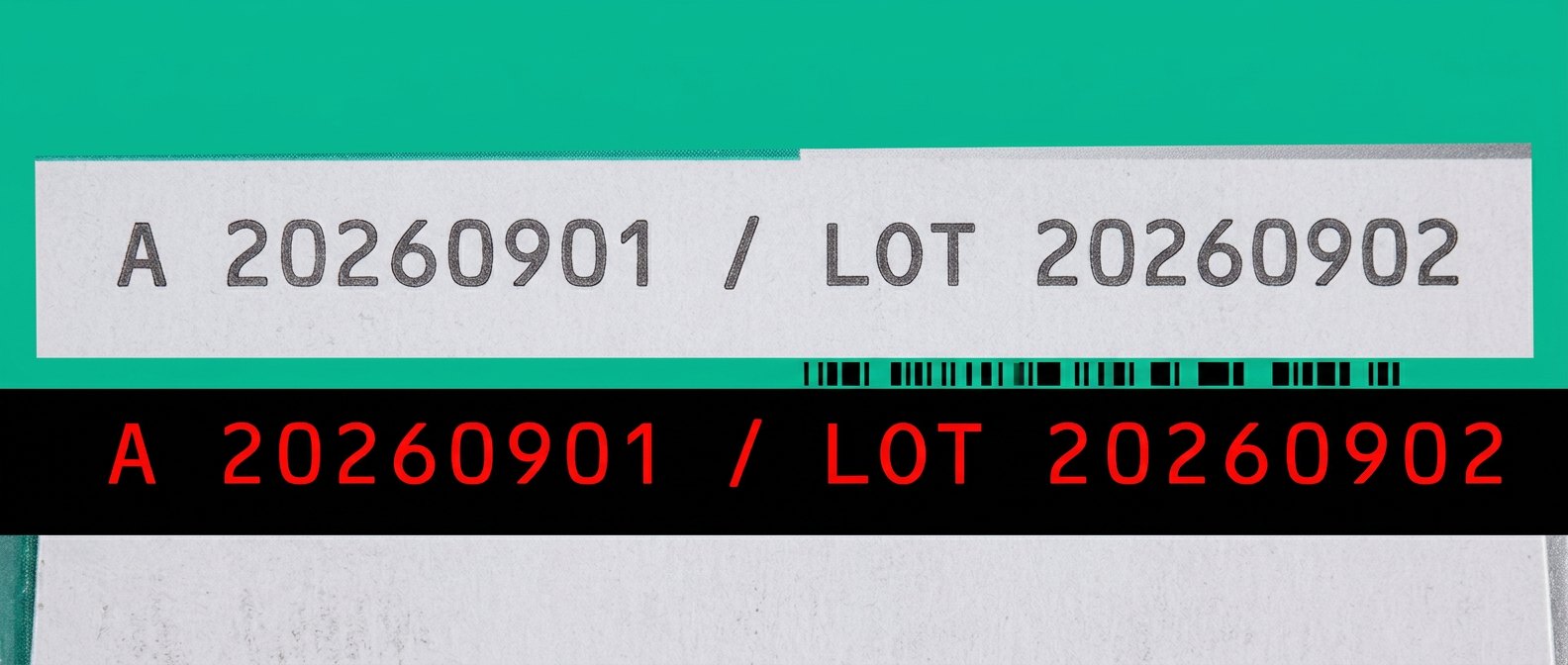
OCR / OCV and code verification
Character verification against the expected string from the work order, 1D/2D code reading, and print-quality assessment rather than a simple read/no-read result.
Configured per application
Defect detection and classification
Surface and cosmetic defect detection with reason codes, so a reject carries an explanation an operator can act on.
Configured per application
Production-line integration
Trigger in, verdict out inside the reject window, defined timeout and fail-safe behavior, recipe selection from the line controller or MES.
Defined in project scope
Quality data and traceability
Per-part records with verdict, reason code, recipe version and retained image references, with retention policy sized to the plant's storage and audit requirements.
Configured per application
Industrial PC or edge deployment
Deployed to an industrial PC or edge compute node based on camera count, sustained bandwidth and processing load — not on a fixed hardware SKU.
Defined in project scope
Typical VSA Inspect configurations
These are solution configurations built on the VSA Inspect architecture, configured per application rather than sold as fixed hardware bundles. Each one runs the same chain — imaging and acquisition, inspection logic, verdict handling, controls integration and quality data — engineered against your part, line speed and controls environment.
VSA Inspect Code
Printed code and character verification tied to the work order rather than operator memory.
- Date code, lot/batch and serial number verification
- OCR and OCV against the expected string
- 1D/2D code reading with print-quality assessment
- Missing, wrong, blurred and misaligned print
Configured per application
VSA Inspect Label
Label identity and application quality at line speed.
- Presence, placement offset and skew
- Wrong-label and wrong-SKU prevention
- Wrinkles, lift and edge defects
- Barcode and text verification on the label itself
Configured per application
VSA Inspect Print
Continuous print and web inspection, encoder-clocked to material motion.
- Registration and color-to-color alignment
- Streaks, voids and missing print
- Repeating plate and cylinder defects
- Line-scan acquisition with roll mapping
Configured per application
VSA Inspect Pack
Package integrity and printed information before the product leaves the line.
- Presence and orientation
- Closure, cap and seal-region checks
- Mixed-product and wrong-component prevention
- Package quality and printed information verification
Configured per application
Typical delivery scope
A VSA Inspect project runs through the following stages. Scope, deliverables and acceptance criteria are agreed in writing before build.
- 01
Feasibility imaging
Sample parts imaged under candidate lighting and optics to confirm the defect is resolvable before any hardware is committed.
- 02
Camera, optics & lighting selection
Resolution, working distance, exposure and illumination geometry specified against the smallest feature and the part motion.
- 03
Station architecture
Mounting, fixturing, triggering, enclosure and access defined for the physical line and its environment.
- 04
Inspection workflow configuration
Regions, tolerances, verdict logic, reason codes and per-SKU recipes configured and versioned.
- 05
Controls integration
Verdict to the PLC inside the reject window, defined timeout and fail-safe behavior, recipe selection from the line or MES.
- 06
Validation & acceptance
Labeled good and defective parts run at line speed; escapes and false rejects reported separately against agreed criteria.
- 07
Operator & engineering handoff
Runbook, recipe management, alarm meanings, and the maintenance checks that keep imaging stable.
- 08
Post-handoff support
Support scope, response expectations and change handling defined in the project agreement.
System architecture
VSA Inspect signal and data path
Configuration parameters
- Imaging modes
- Area scan, line scan, multi-camera, strobed
- Camera interfaces
- GigE Vision and USB3 Vision class devices
- Triggering
- Photo-eye, encoder, PLC-initiated
- Inspection tooling
- Rules-based tools; learned models where the defect class requires
- Code support
- OCR, OCV against expected string, 1D/2D symbols
- Controls interface
- Discrete I/O or fieldbus, defined per project
- Recipes
- Per-SKU, versioned, selectable from the line or MES
- Data output
- Verdict records, reason codes, retained image references
- Compute
- Industrial PC or edge node, sized to bandwidth and load
When VSA Inspect fits, and when a smart camera is the better choice
If a single, stable, high-contrast check runs on one station at moderate speed, a standard smart camera from an established vendor is usually the better buy: lower cost, faster to stand up, and supported by a large installed base. If your plant is already standardized on one vision platform and your team is trained on it, introducing a second architecture for one line rarely pays for itself.
VSA Inspect earns its place when the imaging is difficult, when several inspections must be coordinated, when line integration and traceability matter as much as the verdict, or when a locked ecosystem cannot be configured to the physics of the part.